How do I download a Pinterest video?
Copy the pin link, paste it on pinsavepro.com/video-downloader, tap Download, and choose the MP4 quality you want. The file saves directly from Pinterest's CDN.
Save any Pinterest video as MP4 in HD. Paste the link, pick your quality, and download, no login, no app, no watermark added.
We never store your downloads. Files come directly from Pinterest's CDN.
PinSavePro is a free Pinterest video downloader. Paste any public pinterest.com/pin/ or pin.it link with a video, pick the highest MP4 quality Pinterest serves (up to 1080p or 4K when available), and save it to your phone or computer. No Pinterest login, no app install, and no re-hosting.
This page is dedicated to saving Pinterest video pins as MP4 files. PinSavePro reads the public pin URL, finds the video files Pinterest already serves on its CDN, and gives you direct download buttons for every quality available.
It works for standard video pins, Reels-style clips, and video slides inside Idea Pins when Pinterest exposes them publicly. For images or GIFs, use the image or GIF downloader instead. Use PinSavePro as a Pinterest video saver when you want to save a public video pin as a direct MP4 file.
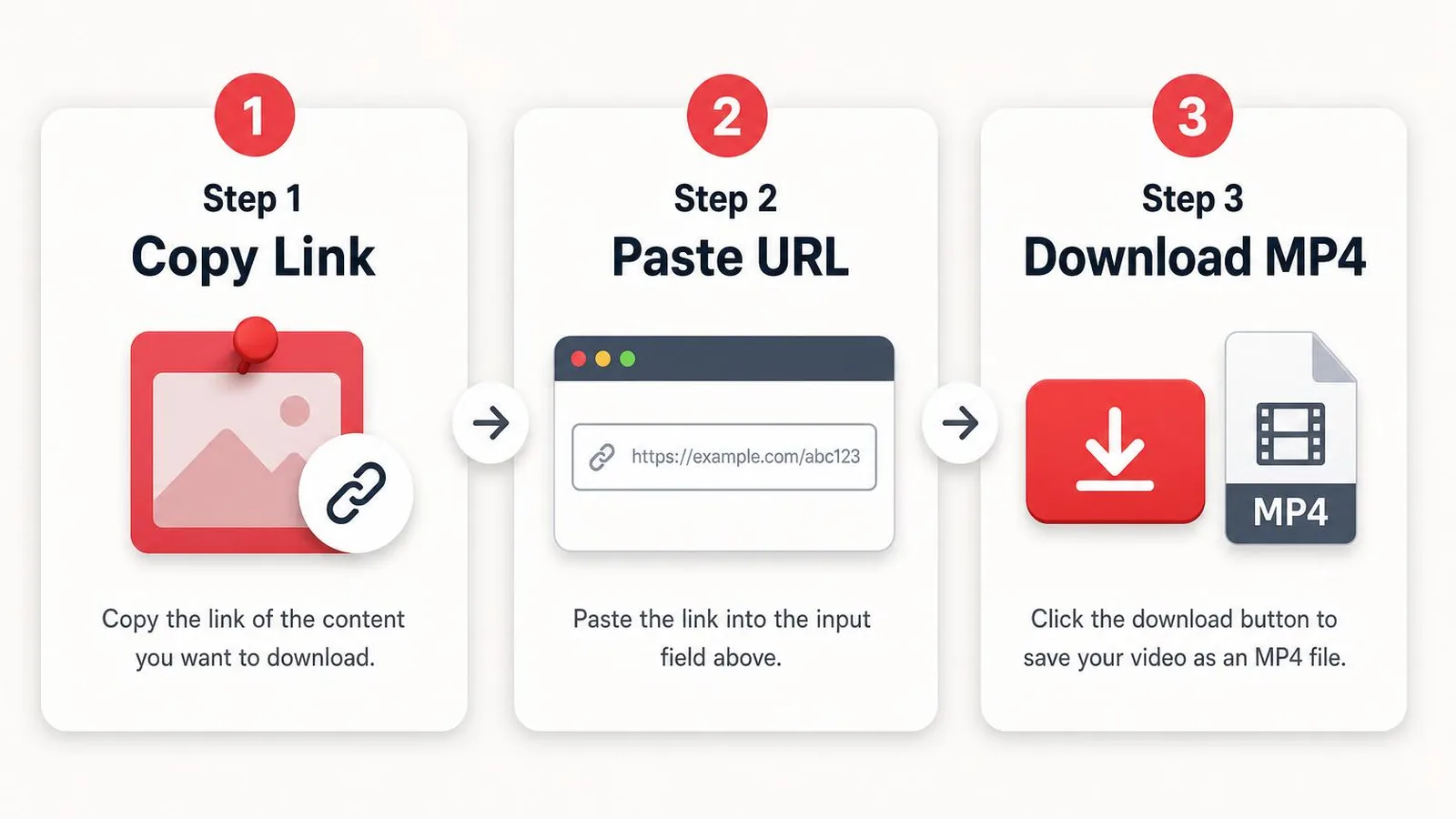
See the complete process in 39 seconds: copy a public Pinterest video link, paste it into PinSavePro, and download the best available MP4 quality.
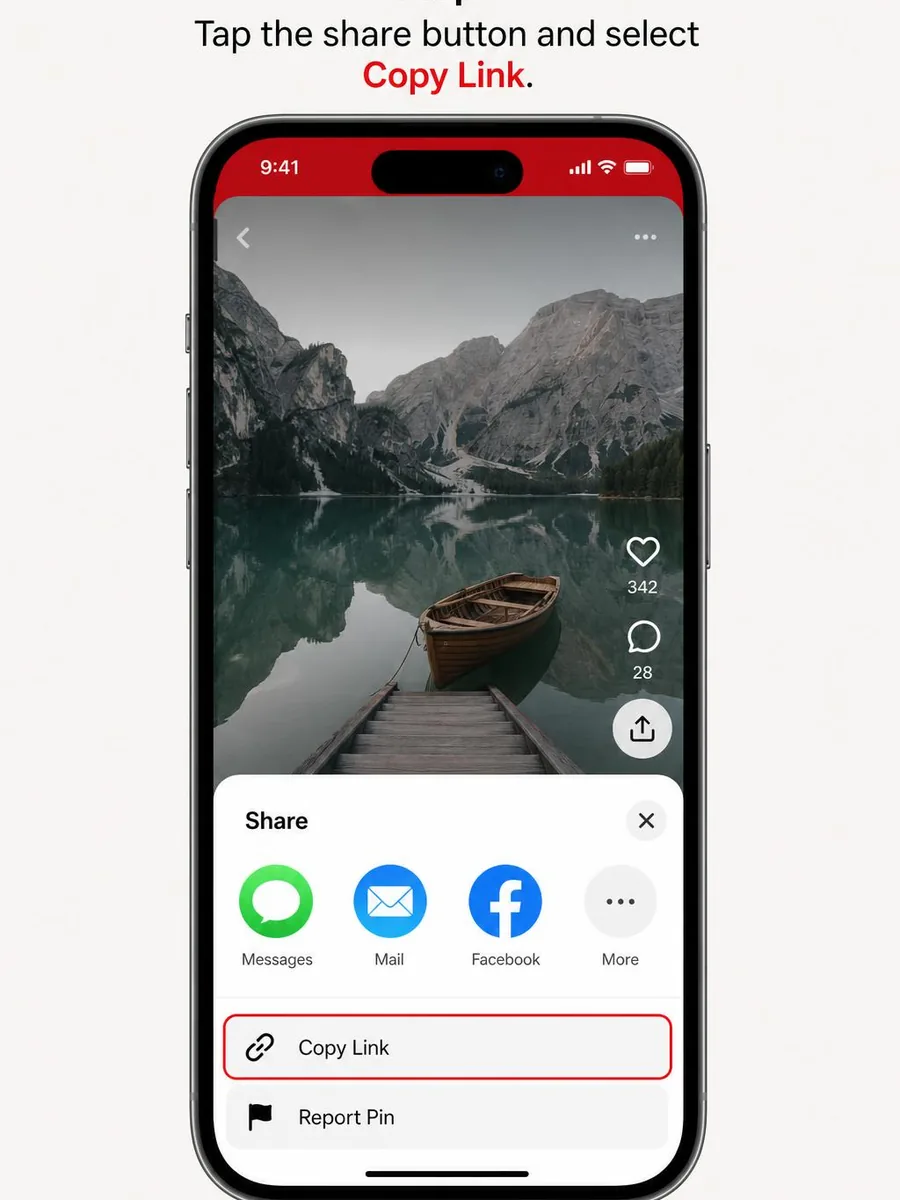
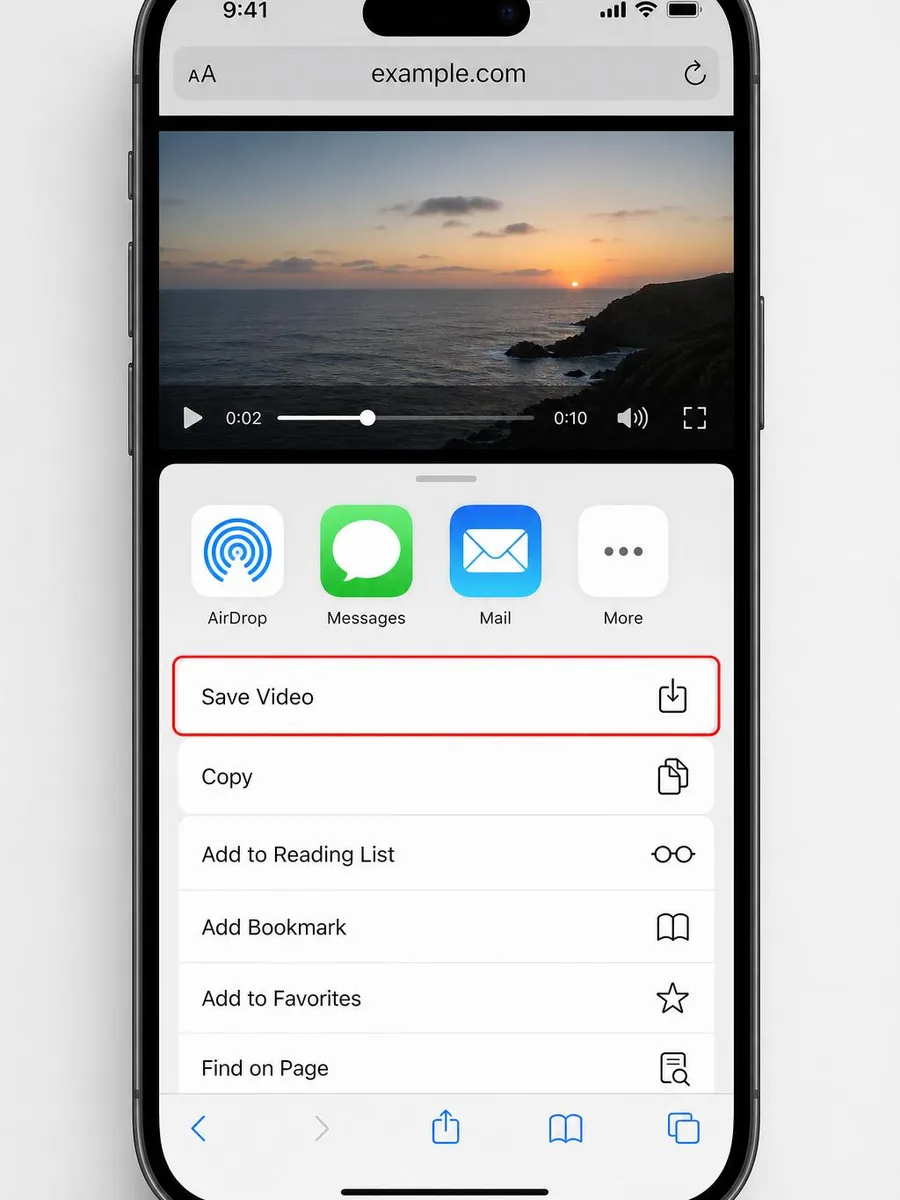
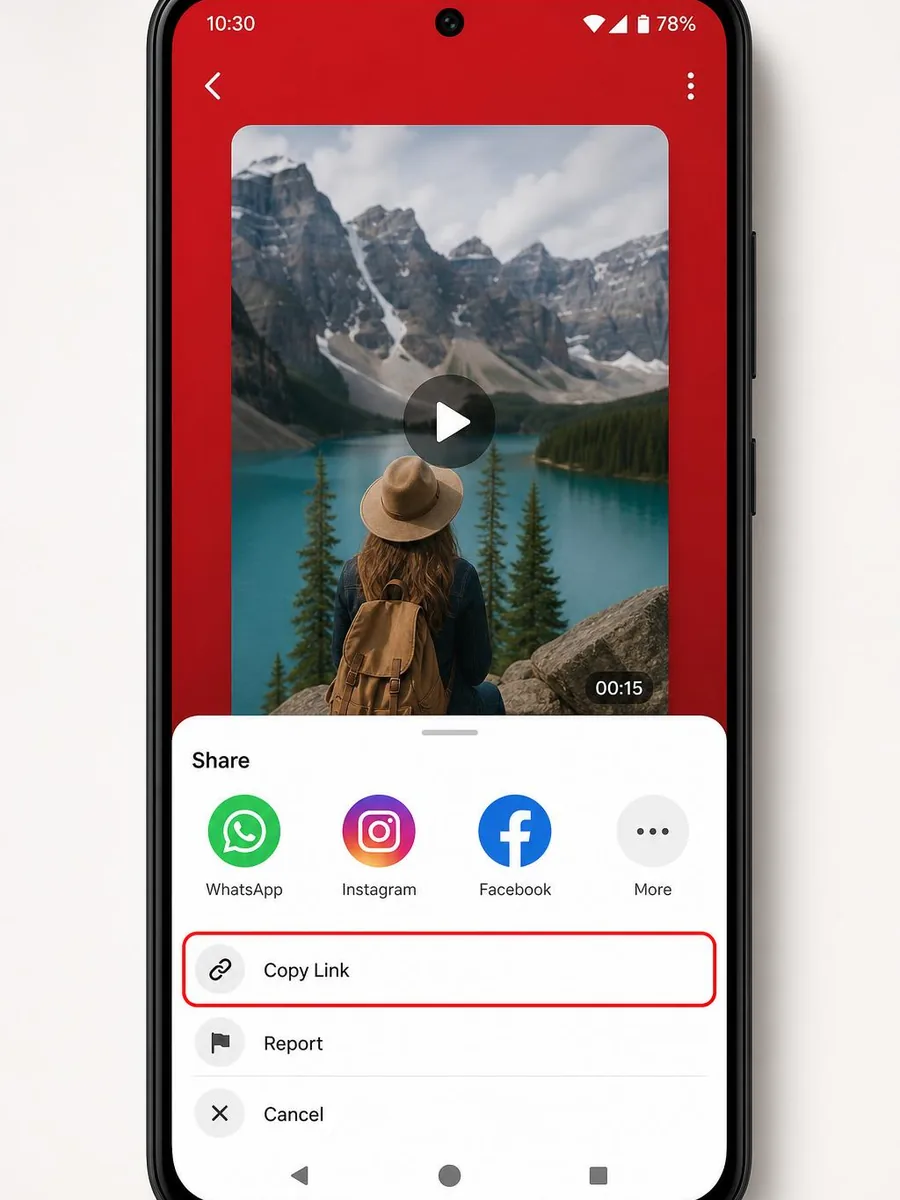
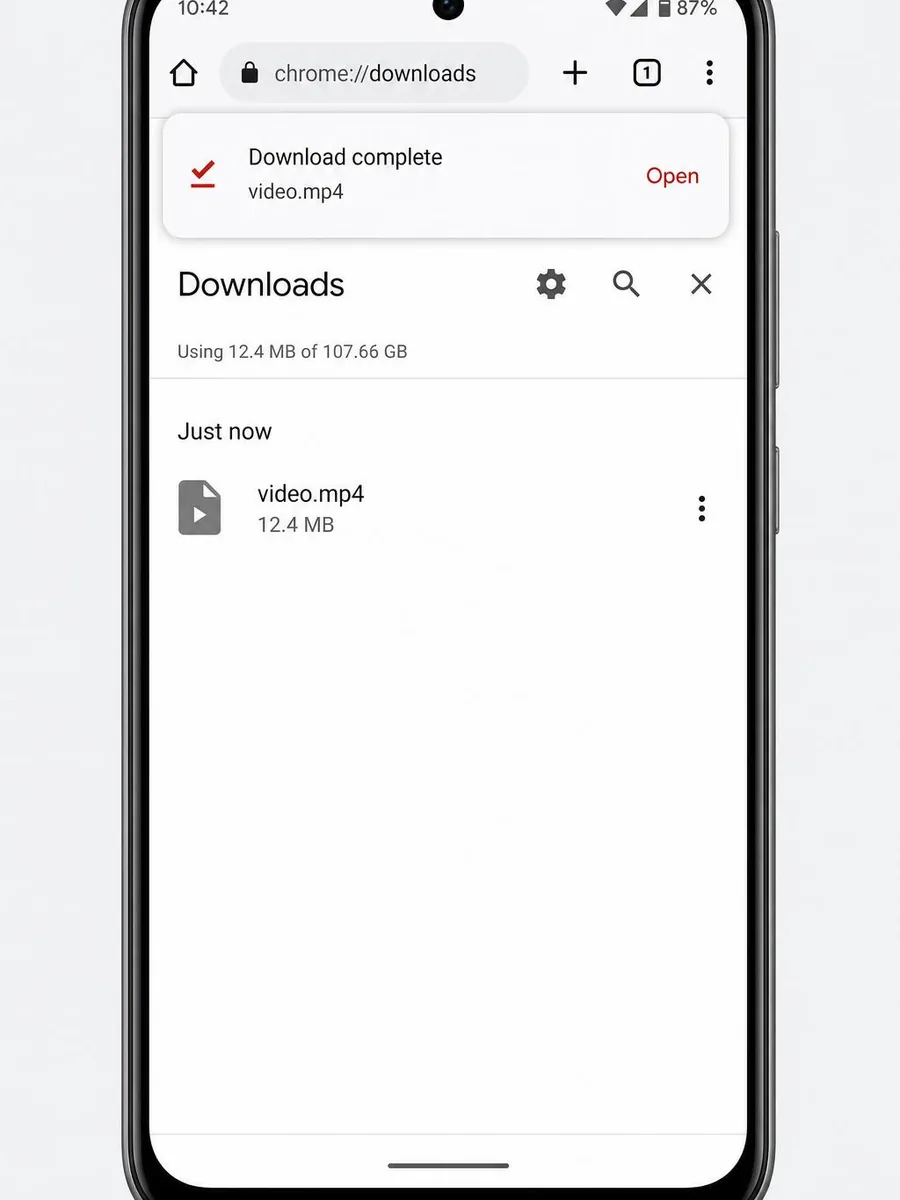
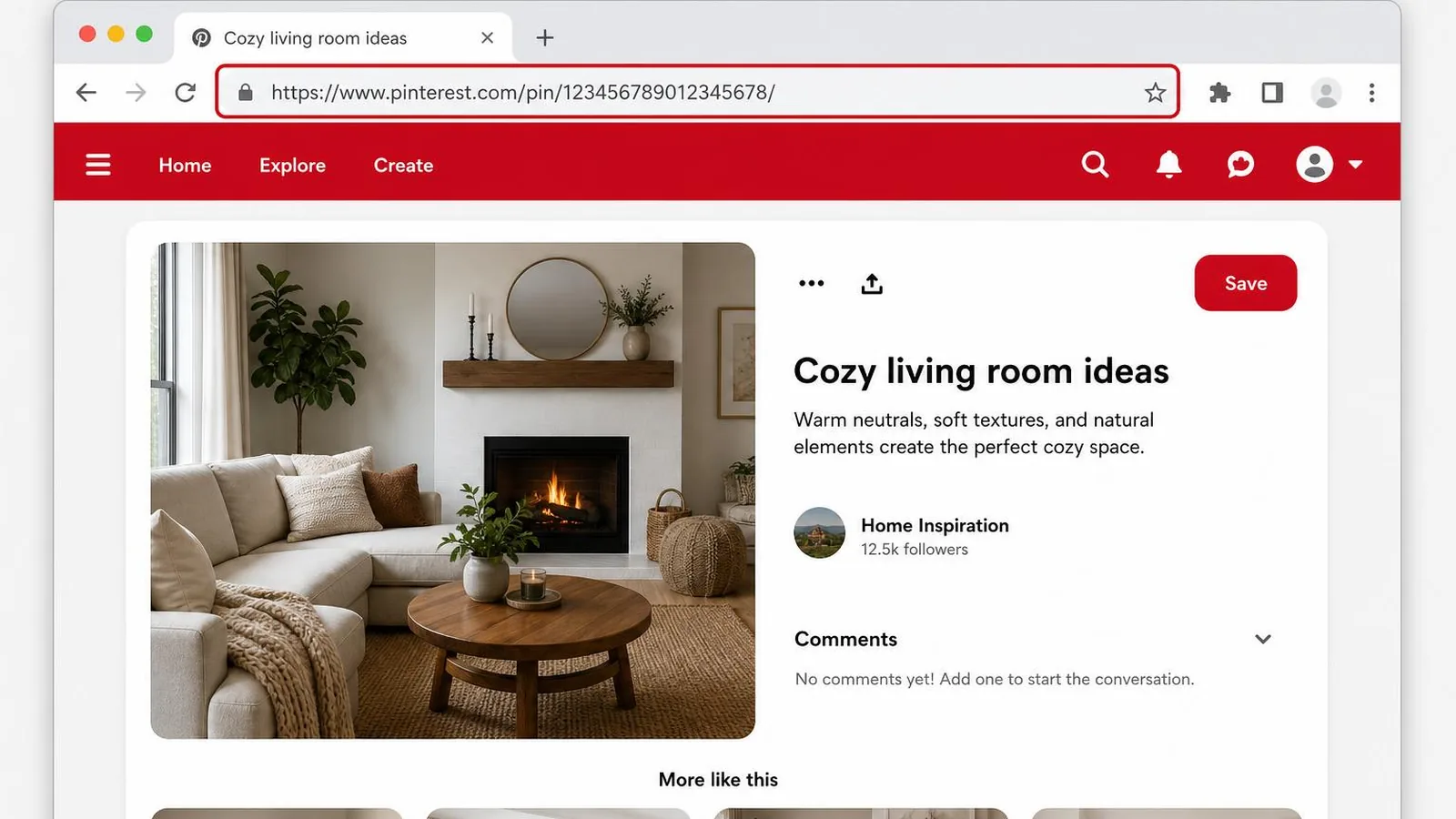
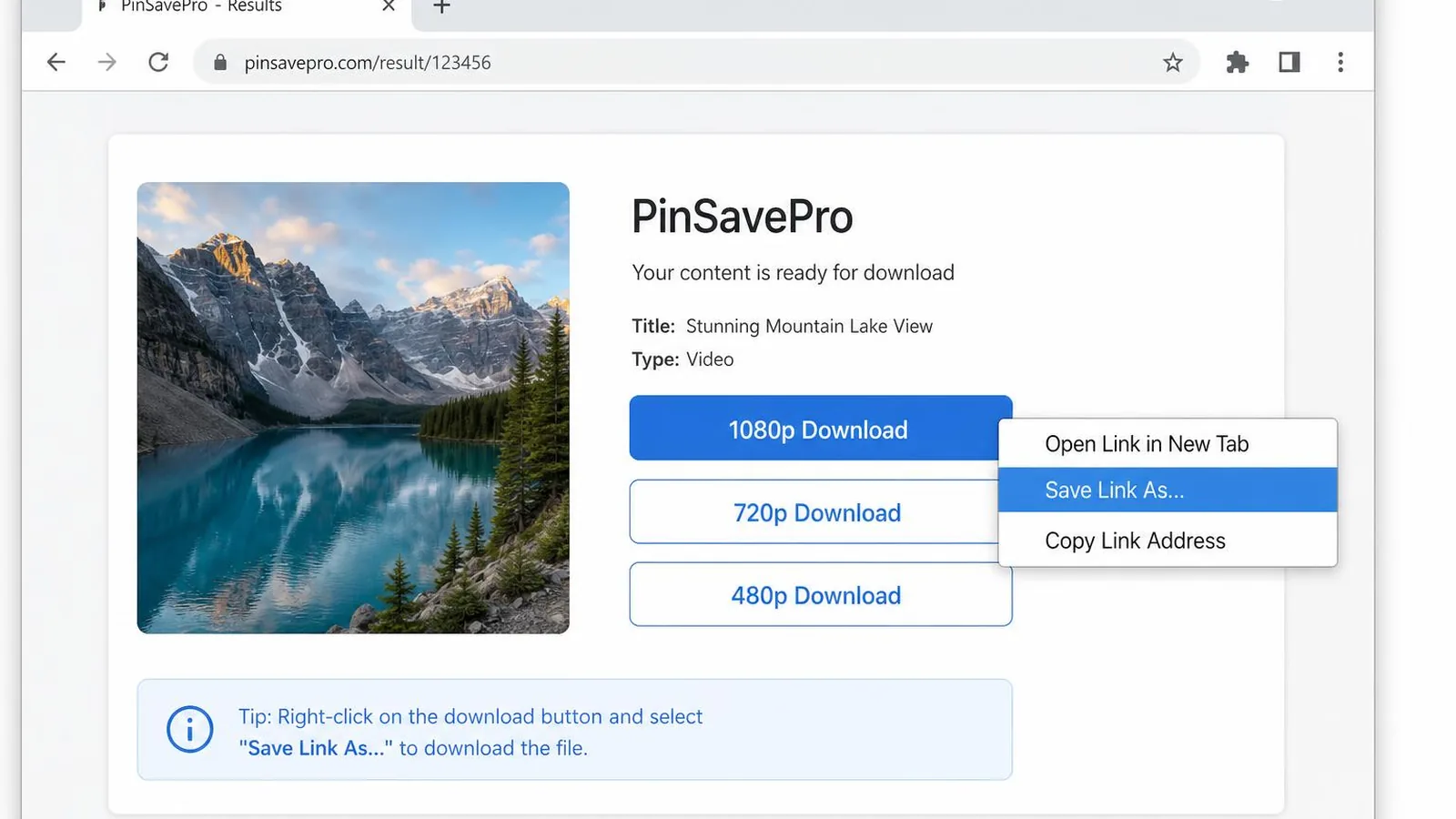
Pinterest video pins are stored as MP4 with H.264 video and AAC audio. PinSavePro returns the same MP4 file Pinterest serves on its CDN, so downloads play natively on iPhone, Android, Windows, and macOS with no conversion.
You get every real quality Pinterest serves for that pin, most often 540p, 720p HD, or 1080p Full HD. 4K only appears when the creator uploaded a 4K source. PinSavePro never upscales, so the resolution you see is the resolution you save.
Both pinterest.com/pin/ URLs and short pin.it share links work. Paste the short link as-is; PinSavePro follows the redirect to the full public pin and pulls the direct MP4.
PinSavePro works as a direct Pinterest to MP4 converter, even if you type it as 'pintrest to mp4' the tool resolves the pin the same way. There is no re-encoding step: you get the original MP4 file Pinterest already serves on its CDN, so quality, frame rate, and audio match the source exactly.
Copy the pin link, paste it on pinsavepro.com/video-downloader, tap Download, and choose the MP4 quality you want. The file saves directly from Pinterest's CDN.
Yes. PinSavePro is 100% free with no login and no app install.
Yes. Only a public pin URL is required.
Paste the pin link into pinsavepro.com/video-downloader and pick the MP4 quality you want. PinSavePro is not a re-encoder, it pulls the original MP4 file Pinterest already stores for that pin. The same page handles the common 'pintrest to mp4' spelling.
Download only content you have rights to or for personal use. PinSavePro is not affiliated with Pinterest, Inc.
Whatever Pinterest serves for that pin, often 540p, 720p, or 1080p. 4K only when the source was uploaded in 4K.
Yes. Paste the public Pinterest video link and PinSavePro returns the MP4 file Pinterest serves for that pin. It is a direct MP4 download, not a fake conversion or upscaled file.
Yes. Copy the Pinterest video pin URL or pin.it short link, paste it into PinSavePro, and choose the available MP4 quality.
Yes. PinSavePro works as a Pinterest video saver for public video pins. It saves the available MP4 file without asking for your Pinterest login.
Yes. Open PinSavePro in any Android browser (Chrome, Samsung Internet, and others), paste the pin link, and tap the MP4 download button, no app required.
Yes. Use Safari, tap Download, then Save Video from the player.
Yes, when the source video has audio.
Yes. Files come straight from Pinterest's CDN. No login required.
The pin may be private or removed. Try another public video pin.
Use downloaded Pinterest videos only when you have the rights, creator permission, or a valid personal-use reason. Do not repost, sell, or redistribute content you do not own.
You can watch and personally save Pinterest videos for free with PinSavePro, but usage rights depend on the creator. Free personal use like saving a recipe, workout, or tutorial for offline viewing is generally fine. Reposting, monetizing, or publishing a video you do not own needs the creator's permission, even when the download itself is free.