Pengunduh video Pinterest

Pengunduh Video Pinterest

Simpan video Pinterest apa pun sebagai MP4 HD. Tempel tautan, pilih kualitas, unduh.

Kami tidak pernah menyimpan unduhan Anda. File datang langsung dari CDN Pinterest.

PinSavePro adalah pengunduh video Pinterest gratis. Tempel tautan publik pinterest.com/pin/ atau pin.it yang berisi video, pilih kualitas MP4 tertinggi yang disajikan Pinterest, dan simpan ke perangkat Anda. Tanpa login, tanpa aplikasi, tanpa re-hosting.

Apa yang dilakukan pengunduh video Pinterest ini

Halaman ini khusus untuk menyimpan pin video sebagai file MP4. PinSavePro membaca URL pin publik dan memberikan tombol unduhan langsung untuk setiap kualitas yang tersedia di CDN Pinterest.

Berfungsi untuk pin video standar, klip gaya Reels, dan slide video Idea Pin ketika Pinterest mengeksposnya secara publik.
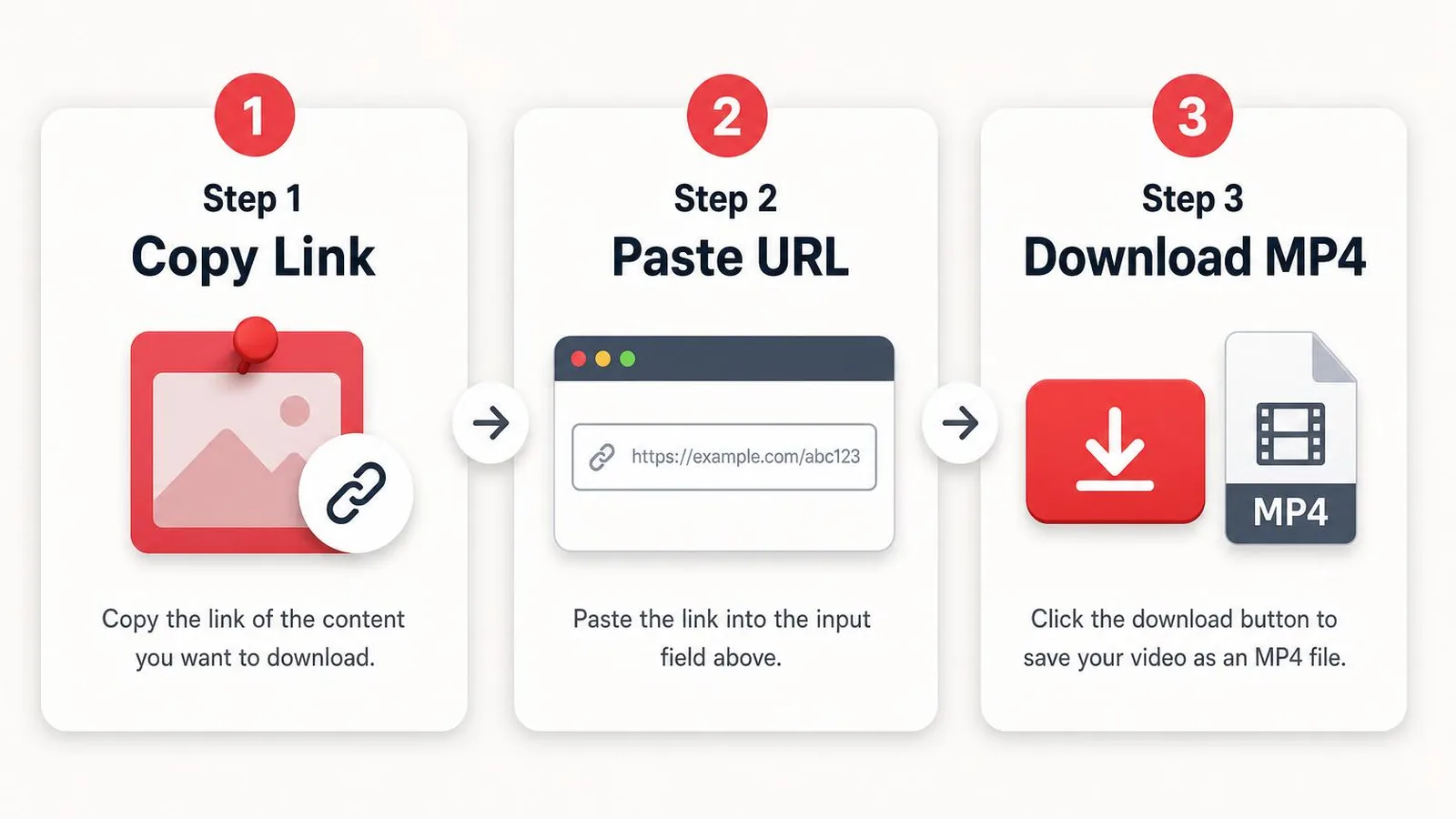
Pinterest video downloader steps showing copy link paste URL and download MP4
Copy the video pin link, paste it into PinSavePro, and download the best available MP4.

Cara mengunduh video Pinterest

  1. Open the video pin on Pinterest and copy its link.
  2. Paste the URL into the box above.
  3. Tap Download and wait for the preview.
  4. Choose the highest quality MP4 button.
  5. Save the file to your device.
iPhone / iPad
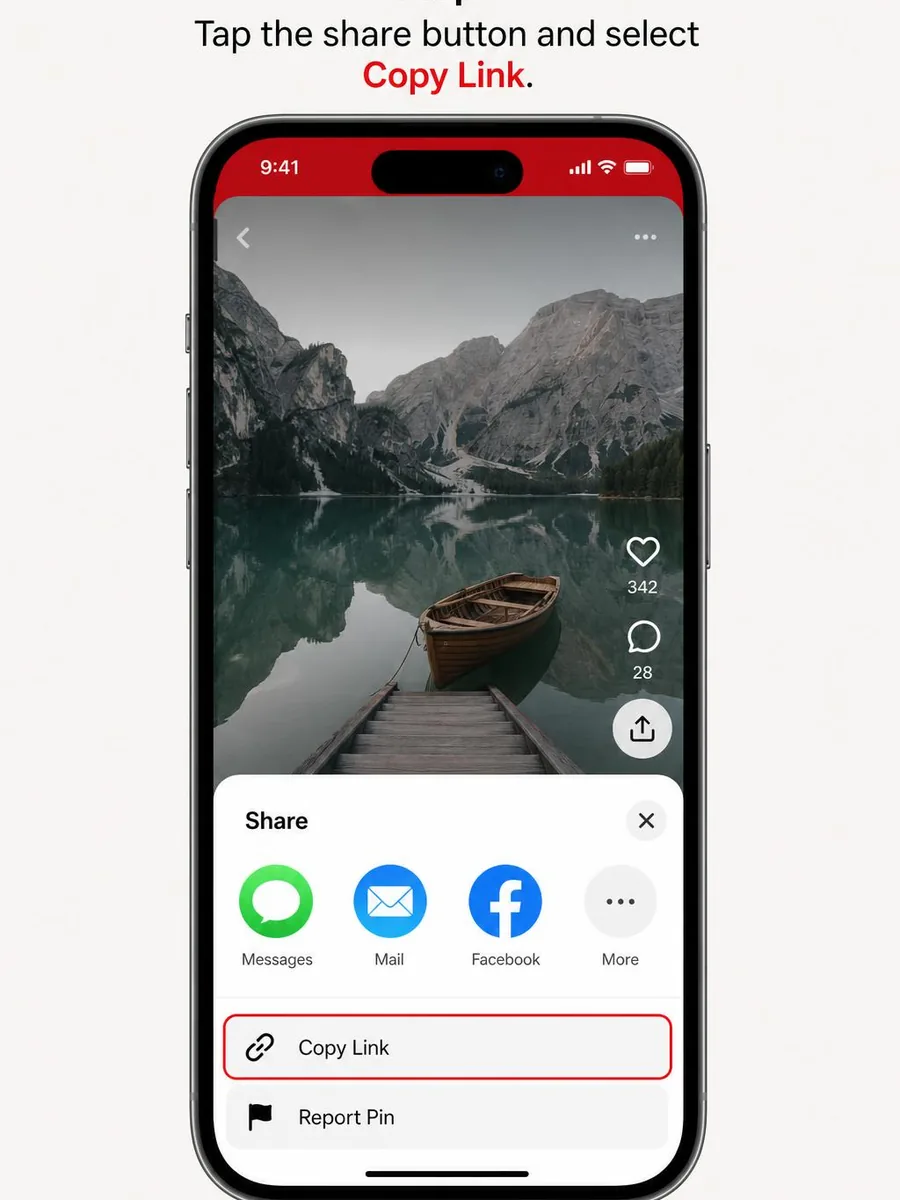
  • Tap Share on the pin, then Copy Link.
  • Open Safari, go to pinsavepro.com, and paste the link.
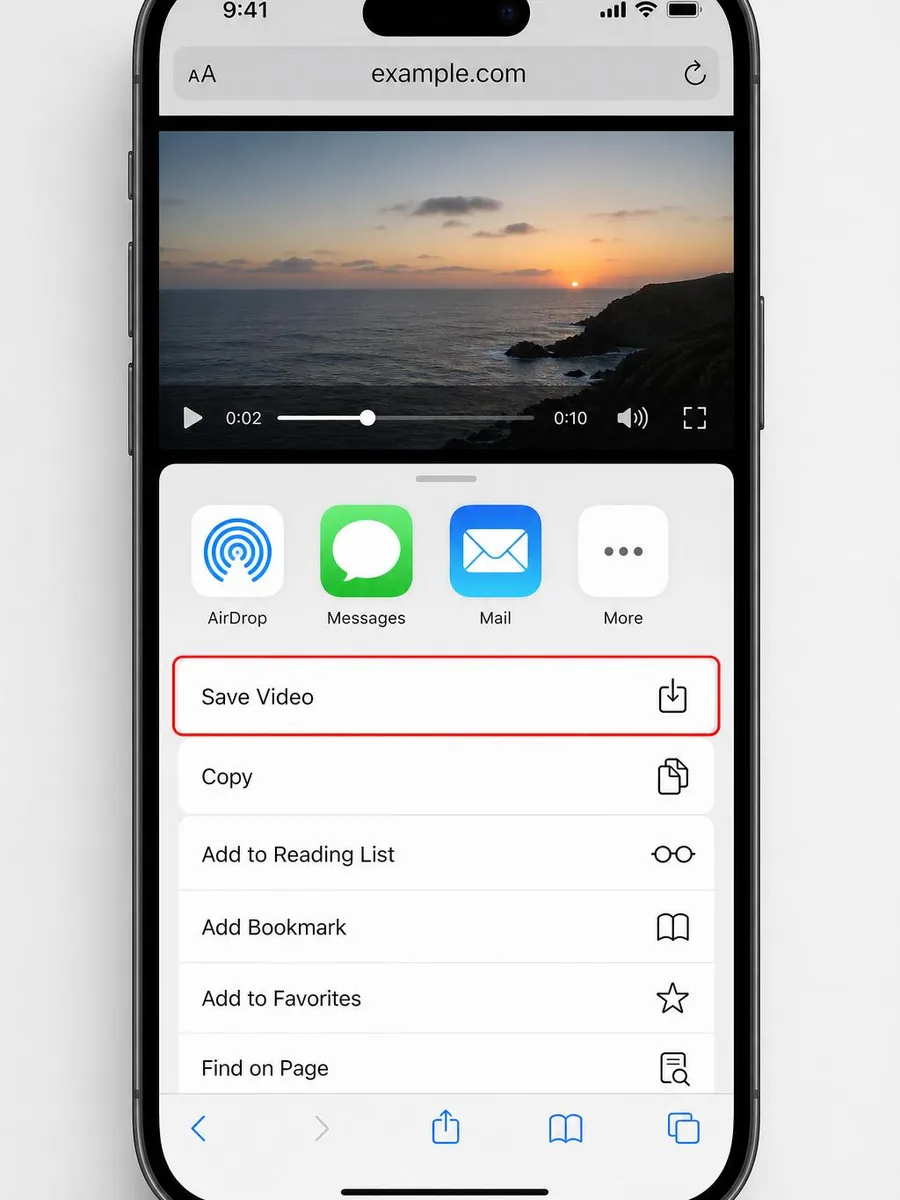
  • Tap the highest quality button, then Share → Save Video in the player.
Android
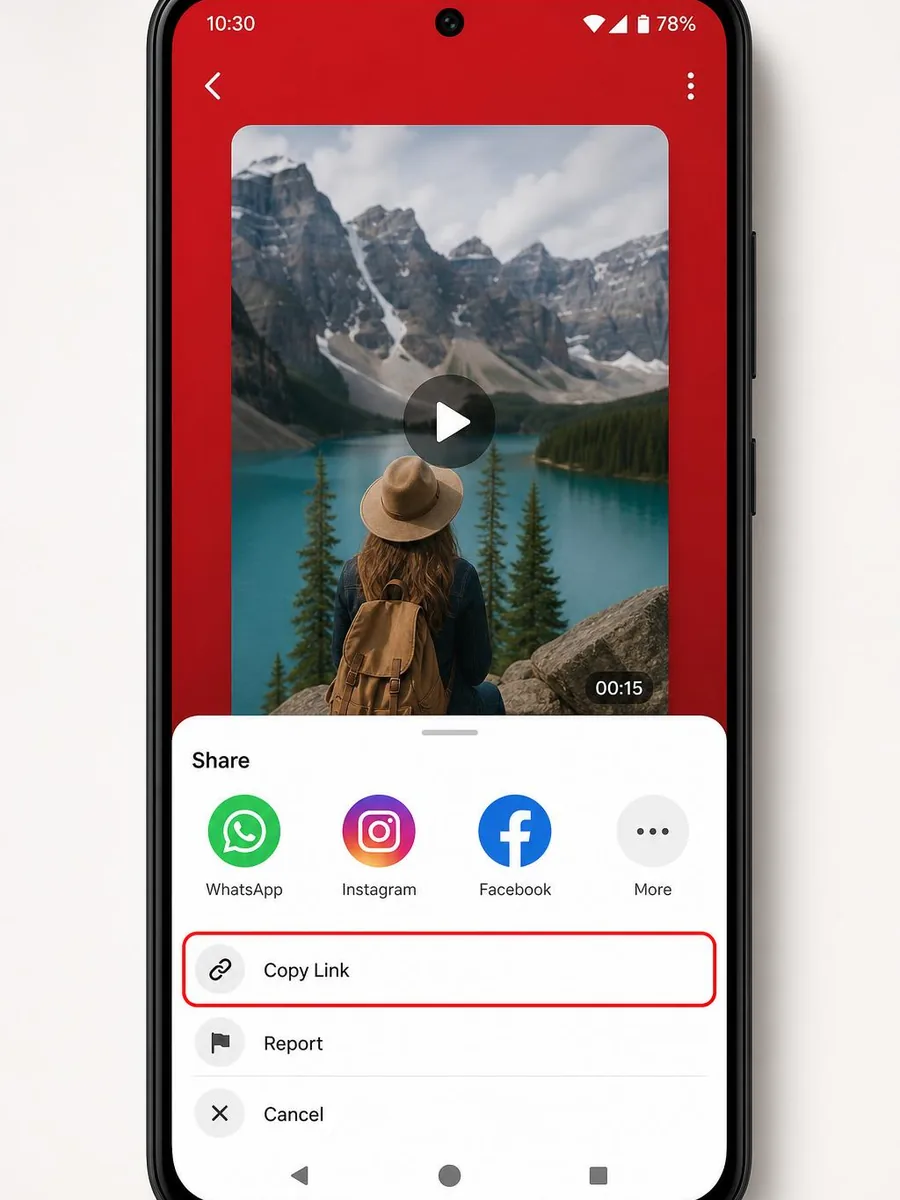
  • Copy Link from the Pinterest share sheet.
  • Paste on pinsavepro.com in Chrome.
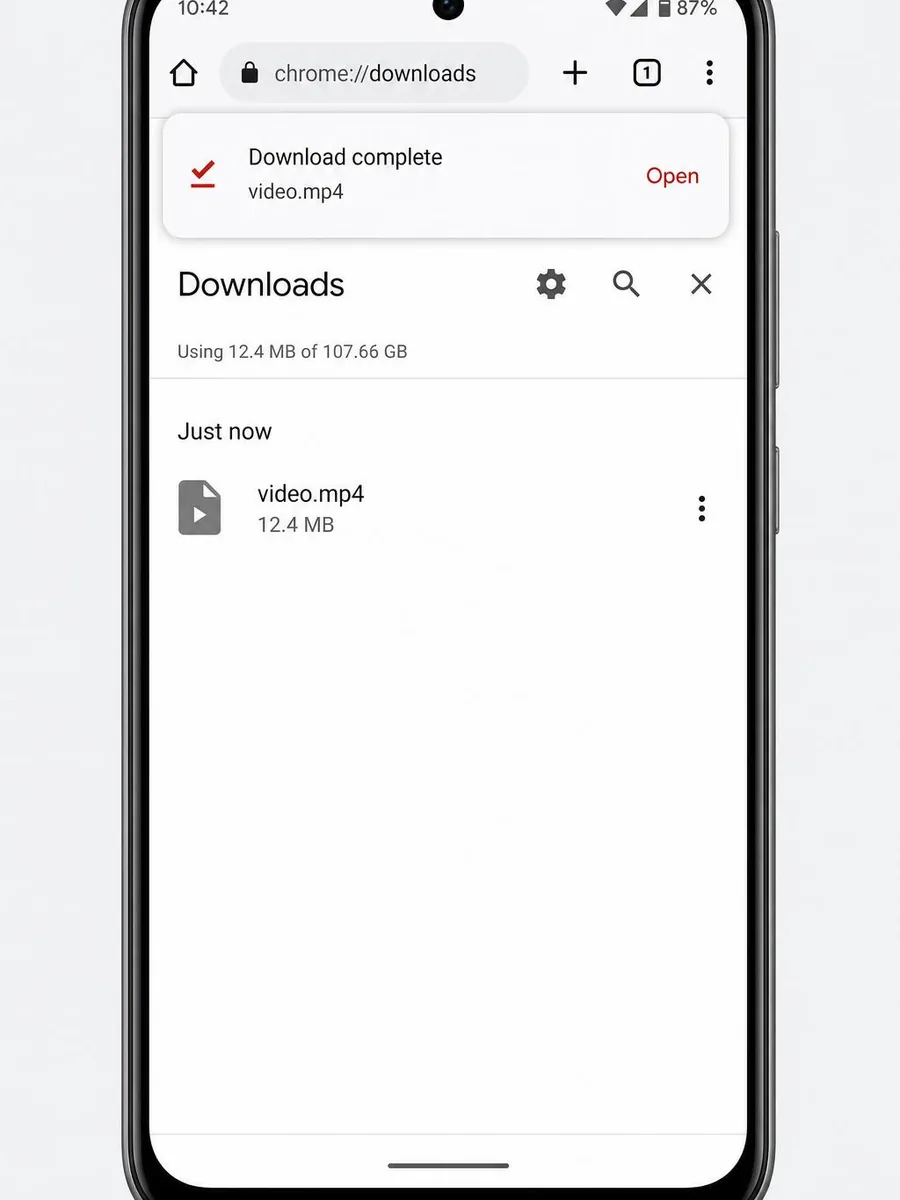
  • Tap Download — the MP4 saves to Downloads.
Windows / Mac
  • Copy the pin URL from your browser.
  • Paste it here and click Download.
  • Click the top quality button to save the MP4.
Browser seluler
  • Copy the pin URL from any mobile browser.
  • Paste it here and tap Download.
iPhone share menu showing Copy Link option for a Pinterest video pin
On iPhone, open the pin share menu and choose Copy Link.
iPhone Safari save video step after downloading Pinterest video
After download, save the video from the browser to Photos.
Android Pinterest-style share menu showing Copy Link for a video pin
On Android, use the share menu or three-dot menu to copy the pin link.
Android download complete screen after saving Pinterest video with PinSavePro
Android saves the downloaded MP4 to the Downloads folder.
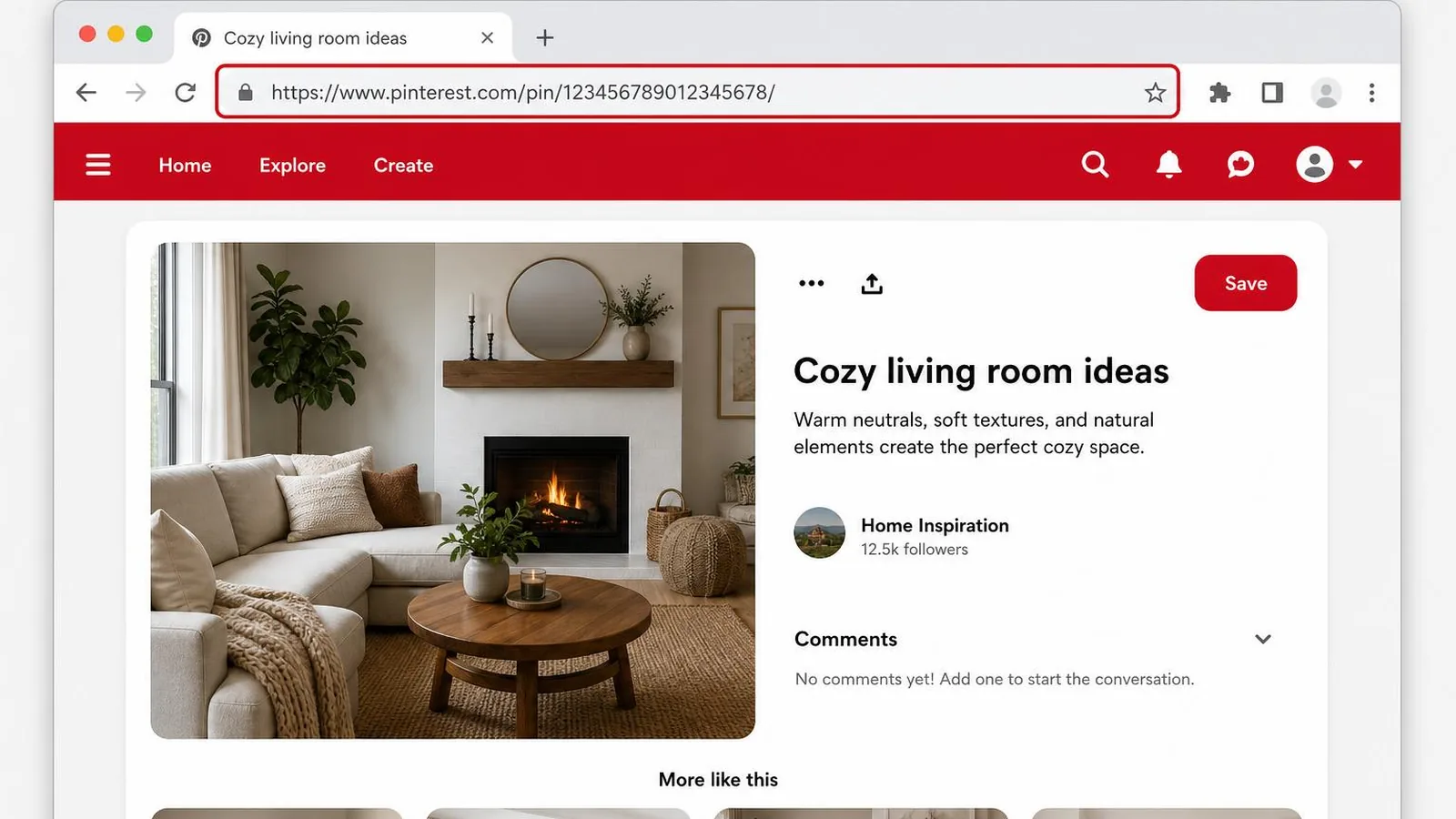
Desktop browser address bar showing a copied Pinterest pin URL
On desktop, copy the full pin URL from the browser address bar.
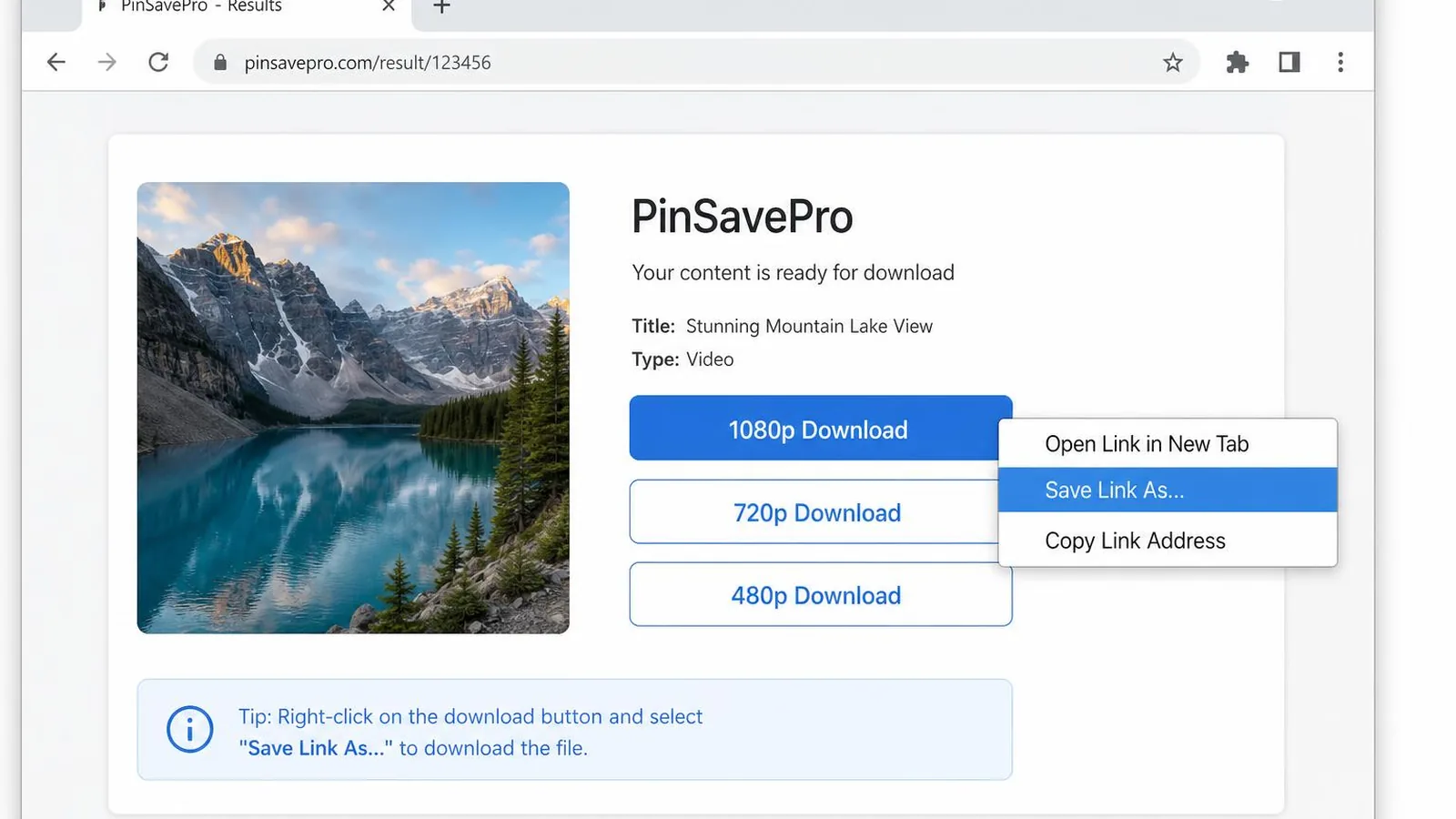
Desktop browser showing Save Link As option for a Pinterest video download
On desktop, right-click a quality button and choose Save Link As when needed.

Video formats supported

  • MP4 video pins
    The standard Pinterest video format.
  • 720p HD
    When Pinterest serves a 720p variant.
  • 1080p Full HD
    When the creator uploaded at 1080p.
  • 4K
    Only when Pinterest actually serves a 4K source.
  • Reels-style clips
    Short vertical video pins.
  • pin.it short links
    Paste short links as-is — we follow the redirect.

Video download troubleshooting

No HD button appears
The pin may only have been uploaded at standard resolution. We show every quality Pinterest actually serves.
Download fails
The pin may be private, deleted, or region-restricted. Try a different public video pin.
GIF pin shows as MP4
Pinterest stores most animated GIFs as MP4 internally. The file plays the same.
pin.it link errors
Make sure the short link still points to a live public pin.

Jawaban singkat

How do I download a Pinterest video?

Copy the pin link, paste it on pinsavepro.com/video-downloader, tap Download, and choose the MP4 quality you want. The file saves directly from Pinterest's CDN.

Is the Pinterest video downloader free?

Yes. PinSavePro is 100% free with no login and no app install.

Does it work without a Pinterest account?

Yes. Only a public pin URL is required.

Safety, privacy and legal

  • No Pinterest login required.
  • Videos stream directly from Pinterest's CDN.
  • We never re-host your downloads.
  • No pop-up or redirect ad networks.

Download only content you have rights to or for personal use. PinSavePro is not affiliated with Pinterest, Inc.

Why use PinSavePro for Pinterest videos

Every real quality
Lists only qualities Pinterest actually serves — no fake HD upscaling.
No login
Public pin URLs only. We never ask for Pinterest credentials.
Works on mobile
Safari on iPhone and Chrome on Android supported.
Free
No subscription, no installer.

Pertanyaan yang sering diajukan

What video quality can I get?+

Whatever Pinterest serves for that pin — often 540p, 720p, or 1080p. 4K only when the source was uploaded in 4K.

Can I download Pinterest videos on iPhone?+

Yes. Use Safari, tap Download, then Save Video from the player.

Do downloads include audio?+

Yes, when the source video has audio.

Is this tool safe?+

Yes. Files come straight from Pinterest's CDN. No login required.

Why did my download fail?+

The pin may be private or removed. Try another public video pin.

Is downloading Pinterest videos legal?+

Personal use is generally fine. Do not redistribute content you do not own.

Related tools