Pinterest वीडियो कैसे डाउनलोड करें?
पिन लिंक कॉपी करें, pinsavepro.com/video-downloader पर पेस्ट करें, डाउनलोड टैप करें और चाही MP4 क्वालिटी चुनें। फ़ाइल सीधे Pinterest के CDN से सहेज होती है।
कोई भी Pinterest वीडियो MP4 में HD क्वालिटी में सहेजें। लिंक पेस्ट करें और डाउनलोड करें।
हम आपके डाउनलोड कभी स्टोर नहीं करते। फ़ाइलें सीधे Pinterest CDN से आती हैं।
PinSavePro एक मुफ़्त Pinterest वीडियो डाउनलोडर है। कोई भी सार्वजनिक pinterest.com/pin/ या pin.it वीडियो लिंक पेस्ट करें, Pinterest जो MP4 क्वालिटी देता है वह चुनें, और अपने फ़ोन या कंप्यूटर पर सहेजें। बिना लॉगिन, बिना ऐप, बिना री-होस्टिंग।
यह पेज Pinterest वीडियो पिन को MP4 फ़ाइलों के रूप में सहेजने के लिए है। PinSavePro सार्वजनिक पिन URL पढ़ता है और Pinterest CDN पर मौजूद हर क्वालिटी के लिए सीधे डाउनलोड बटन देता है।
स्टैंडर्ड वीडियो पिन, Reels-स्टाइल क्लिप और Idea Pin वीडियो स्लाइड के लिए काम करता है जब Pinterest उन्हें सार्वजनिक रूप से दिखाता है।
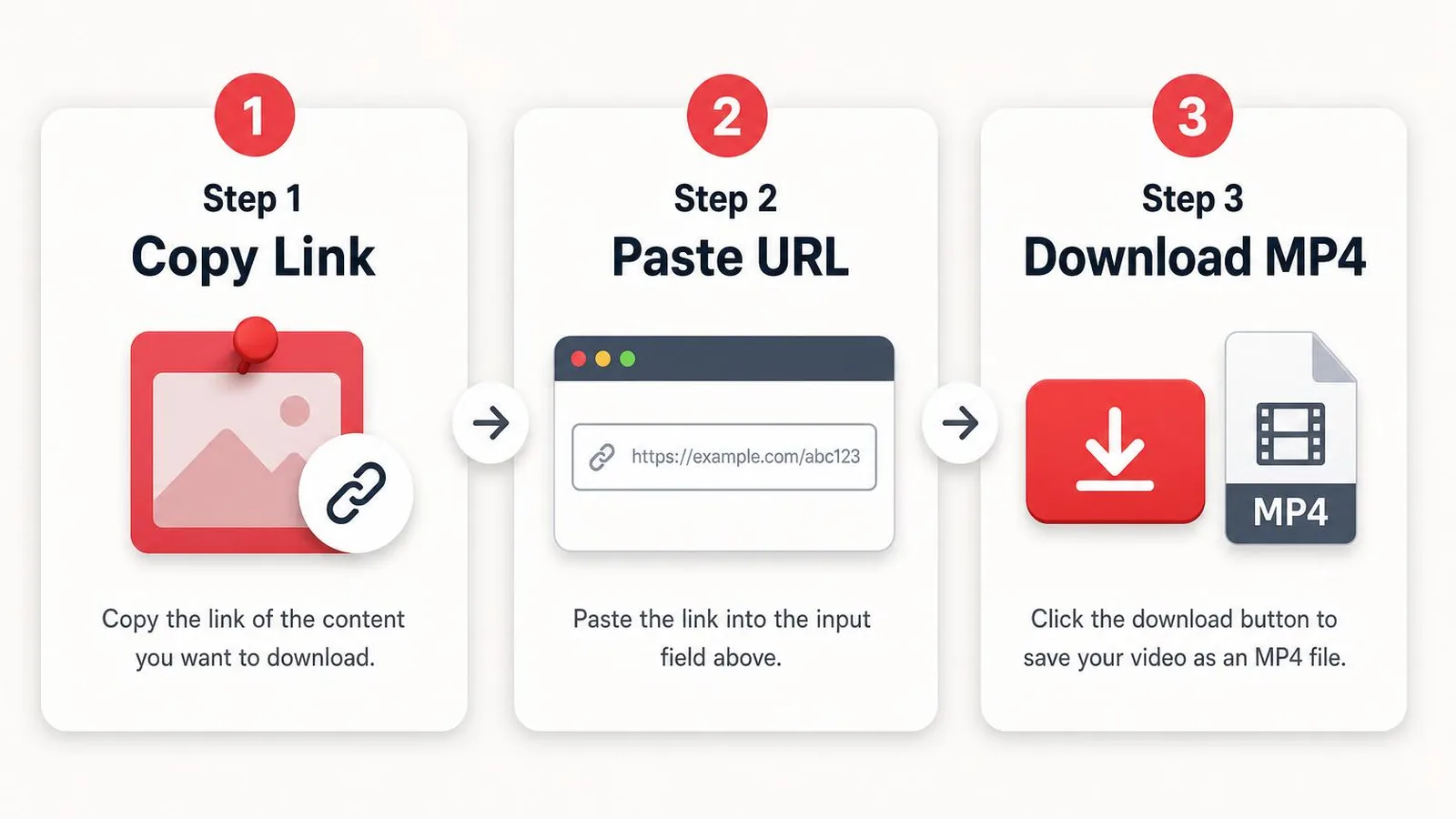
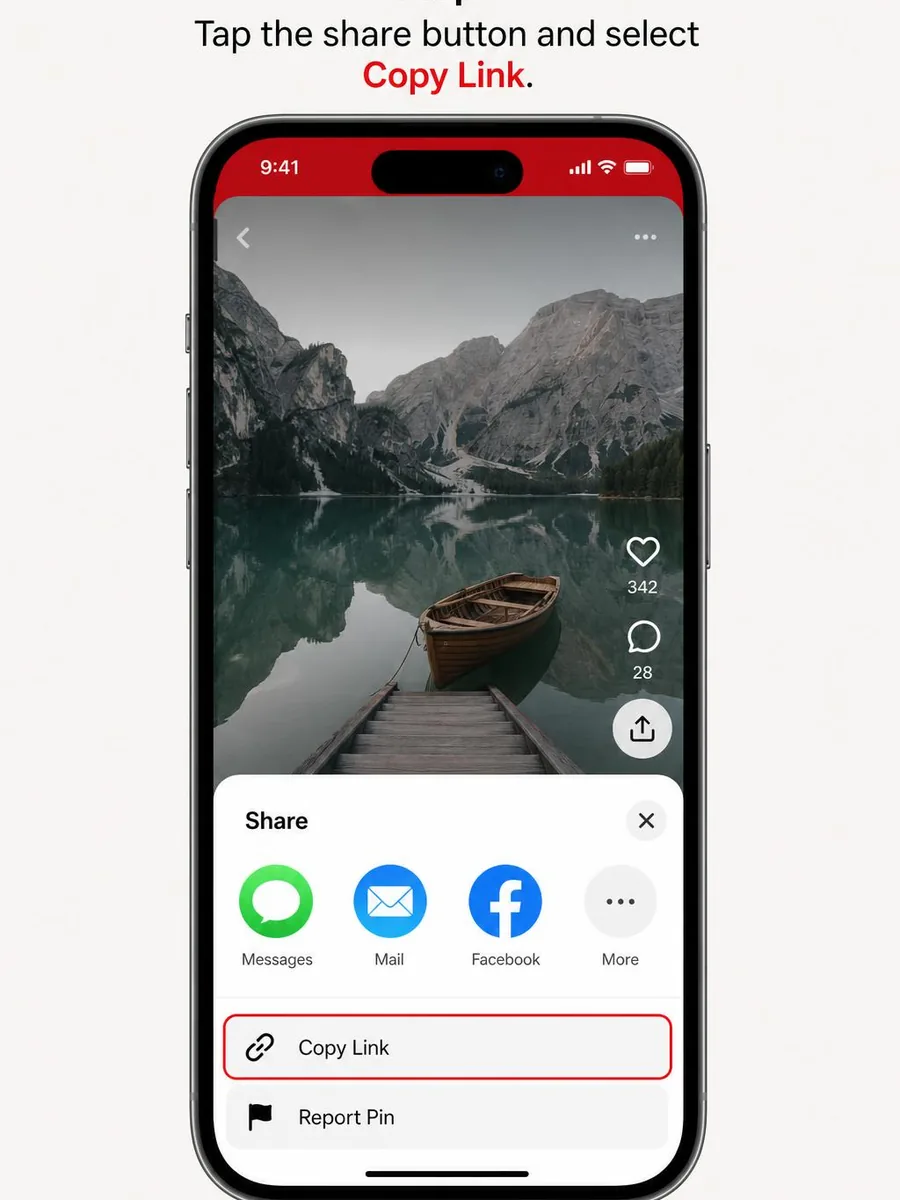
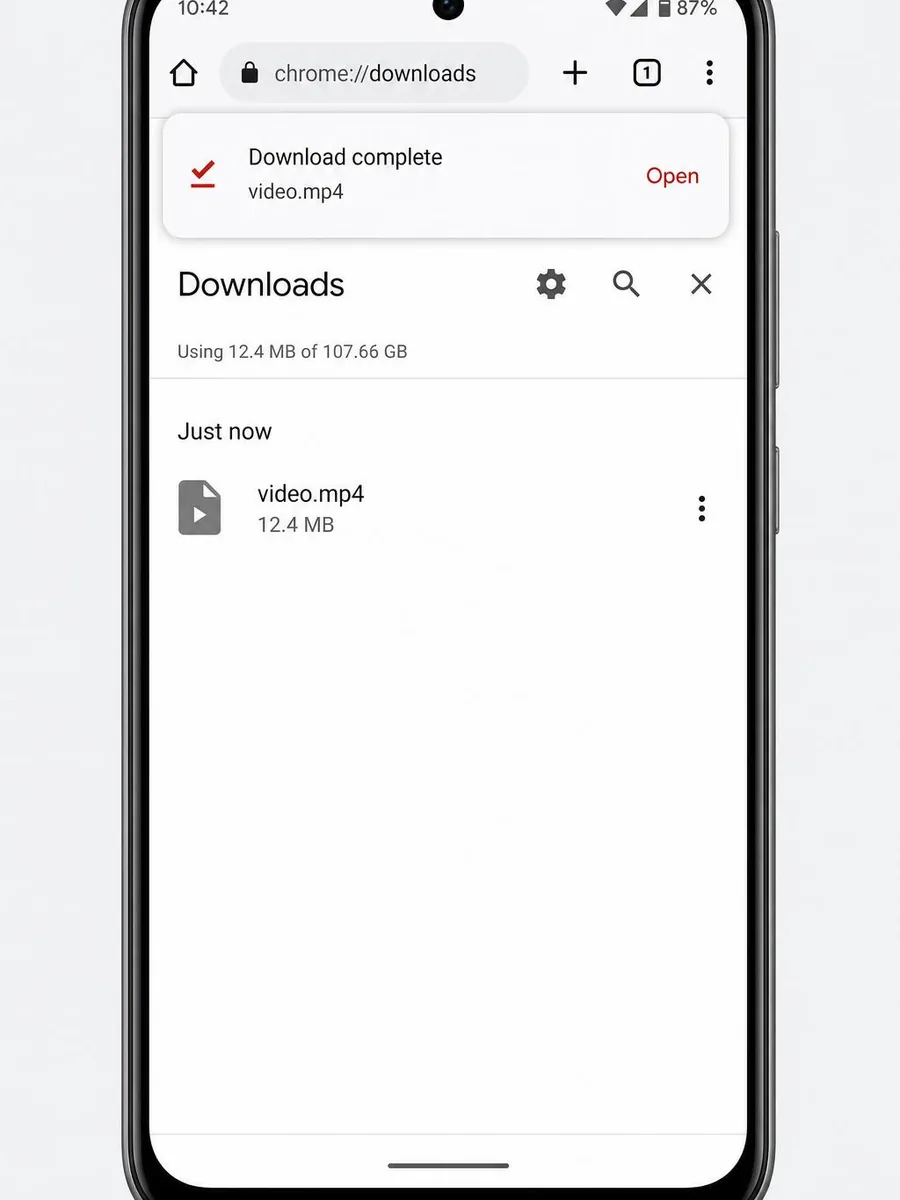
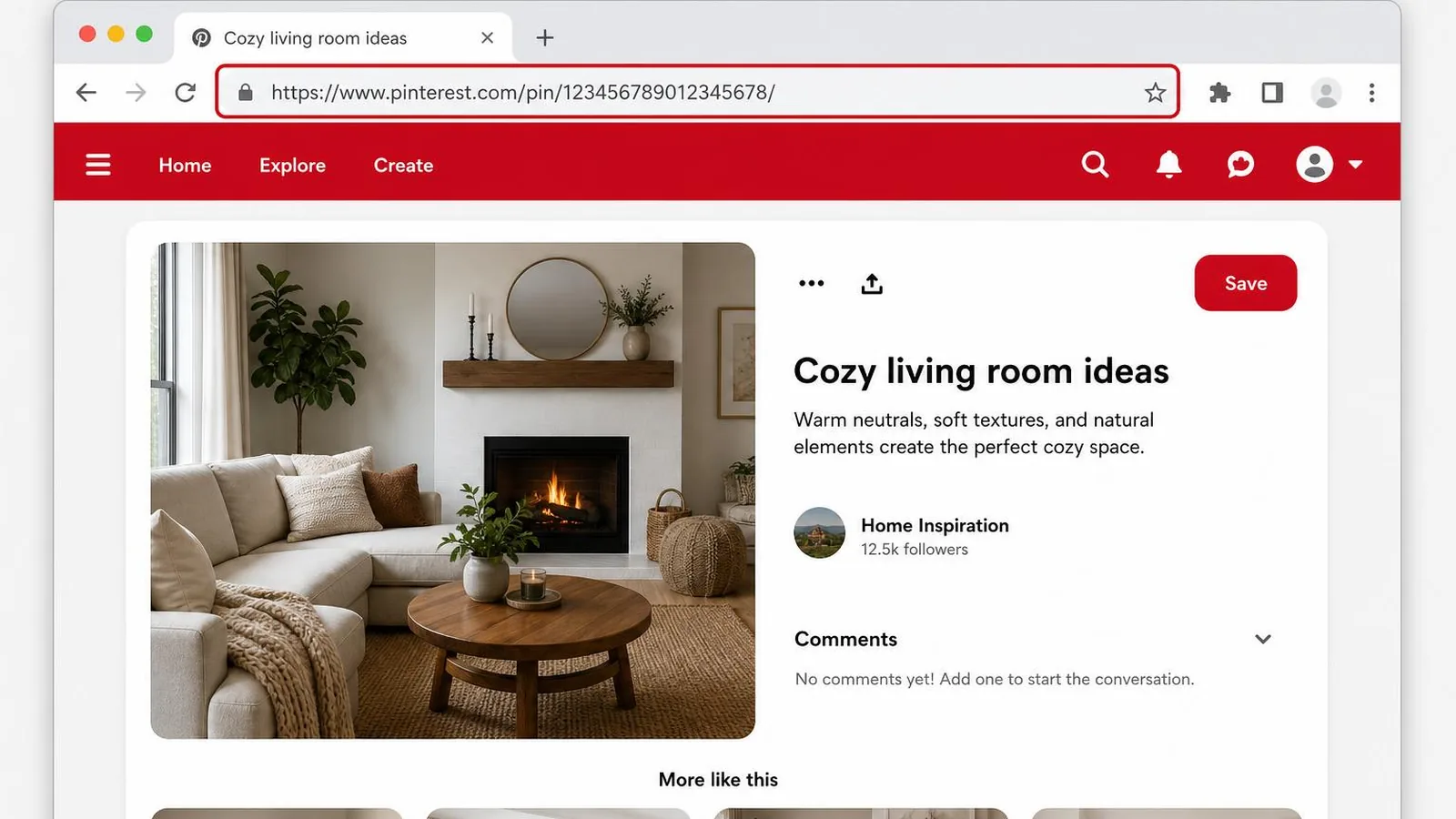
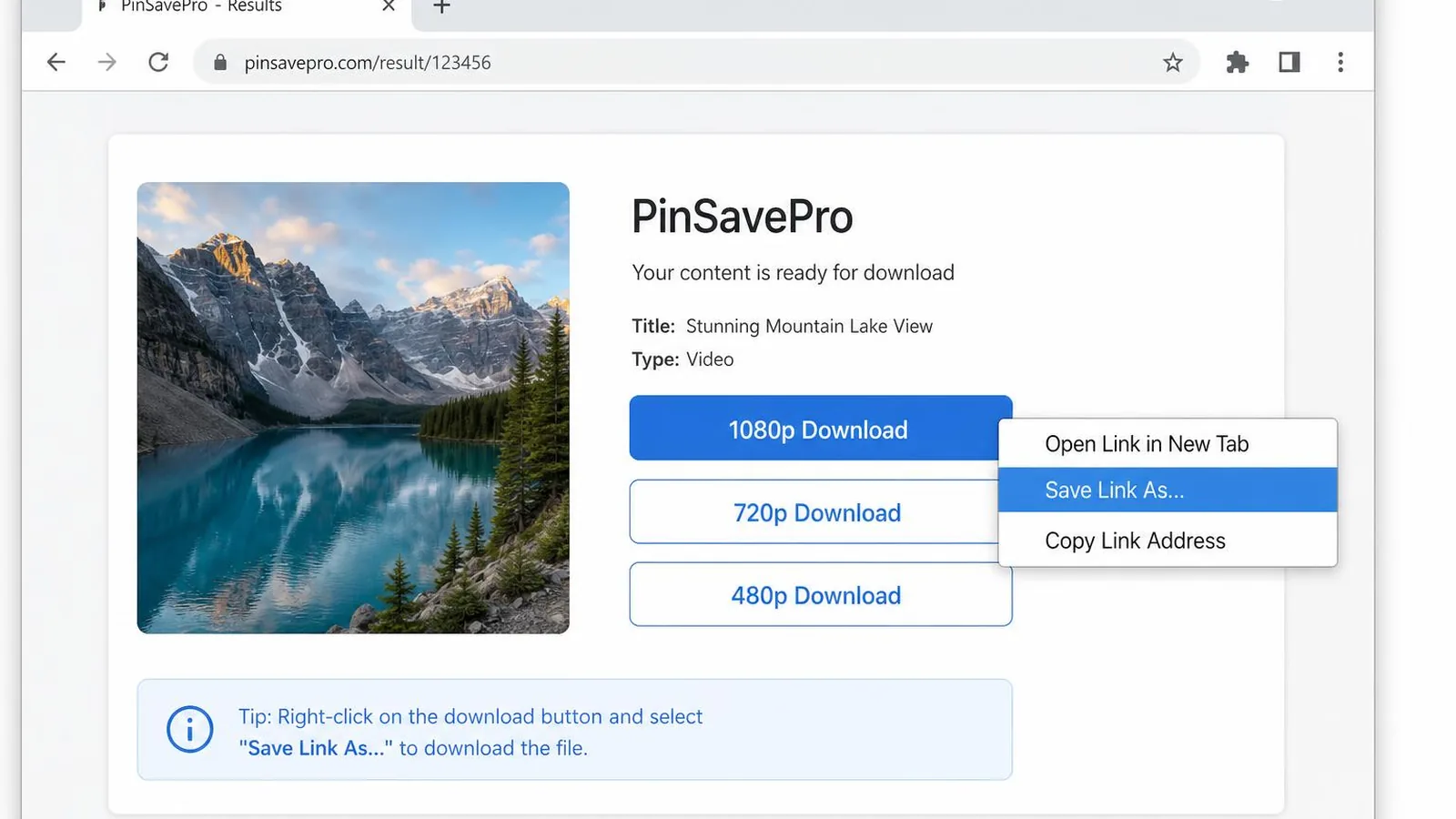
पिन लिंक कॉपी करें, pinsavepro.com/video-downloader पर पेस्ट करें, डाउनलोड टैप करें और चाही MP4 क्वालिटी चुनें। फ़ाइल सीधे Pinterest के CDN से सहेज होती है।
हाँ। PinSavePro 100% मुफ़्त है, बिना लॉगिन और बिना ऐप इंस्टॉल।
हाँ। सिर्फ़ सार्वजनिक पिन URL चाहिए।
सिर्फ़ वही सामग्री डाउनलोड करें जिसके अधिकार आपके पास हैं या व्यक्तिगत उपयोग के लिए। PinSavePro Pinterest, Inc. से संबद्ध नहीं है।
जो भी Pinterest उस पिन के लिए देता है — अक्सर 540p, 720p या 1080p। 4K सिर्फ़ जब सोर्स 4K में अपलोड हुआ हो।
हाँ। सार्वजनिक Pinterest वीडियो लिंक पेस्ट करें और PinSavePro वही MP4 लौटाता है जो Pinterest देता है। यह सीधा MP4 डाउनलोड है, नकली रूपांतरण या अपस्केल नहीं।
हाँ। Pinterest वीडियो पिन URL या pin.it शॉर्ट लिंक कॉपी करें, PinSavePro में पेस्ट करें और उपलब्ध MP4 क्वालिटी चुनें।
हाँ। PinSavePro सार्वजनिक वीडियो पिन के लिए Pinterest वीडियो सेवर के रूप में काम करता है। बिना Pinterest लॉगिन उपलब्ध MP4 सहेजता है।
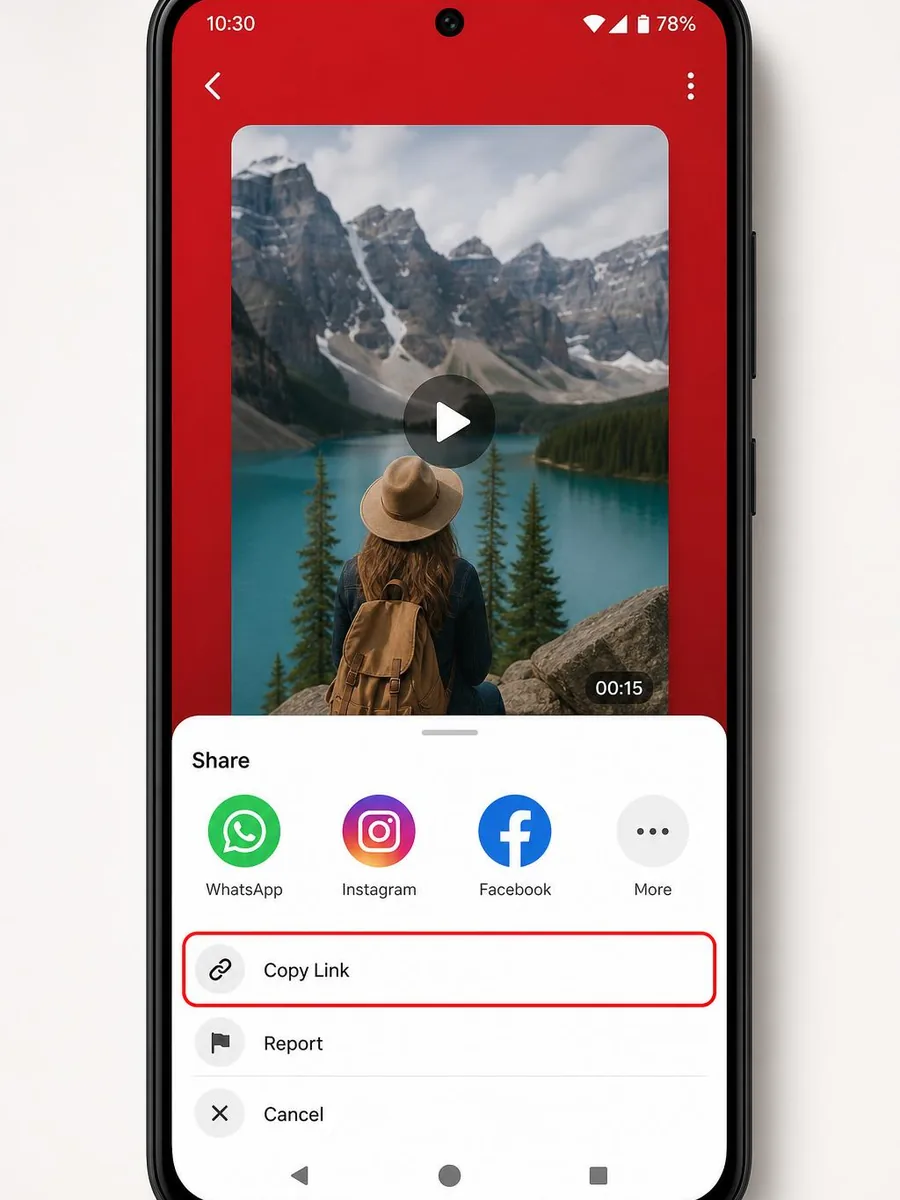
हाँ। किसी भी Android ब्राउज़र (Chrome, Samsung Internet आदि) में PinSavePro खोलें, पिन लिंक पेस्ट करें और MP4 डाउनलोड बटन टैप करें — ऐप की ज़रूरत नहीं।
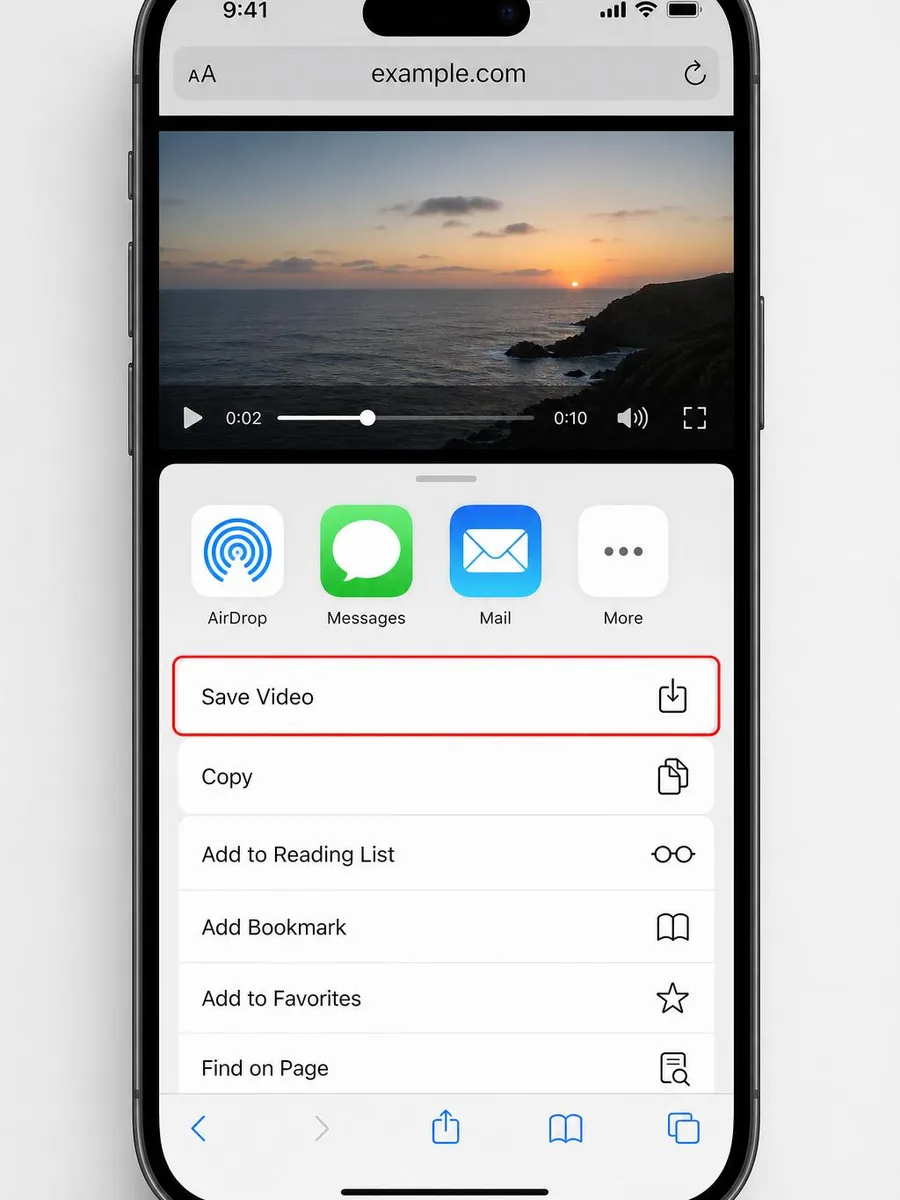
हाँ। Safari उपयोग करें, डाउनलोड टैप करें, फिर प्लेयर से वीडियो सहेजें।
हाँ, जब सोर्स वीडियो में ऑडियो हो।
हाँ। फ़ाइलें सीधे Pinterest के CDN से आती हैं। लॉगिन की ज़रूरत नहीं।
पिन निजी या हटाया गया हो सकता है। कोई दूसरा सार्वजनिक वीडियो पिन आज़माएँ।
व्यक्तिगत उपयोग आमतौर पर ठीक है। ऐसी सामग्री पुनर्वितरित न करें जिसके आप मालिक नहीं हैं।